Showing posts with label Identity. Show all posts

Getting started with WSO2 Cloud Identity - The first step

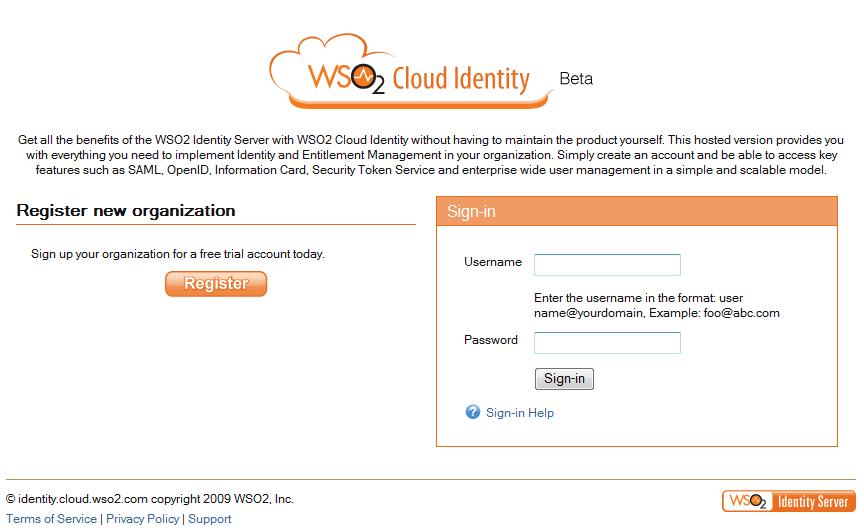
1. Visit https://identity.cloud.wso2.com/

2. Clcik on 'Register' to register your organization.


3. Select a domain name for your organization.


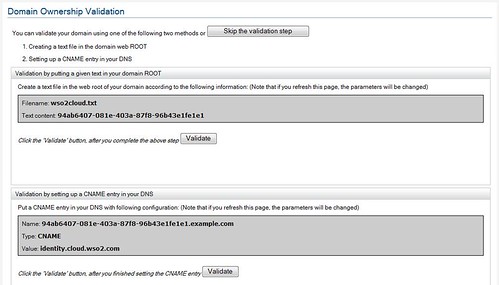
4. At step-3, you can select, either to validate the domain or not to. If you select to confirm the domain later - then you can do it after login in and clicking Account Management tab.

5. At step-3, if you select tp validate now, then you can do it either by uploading the given file to your domain or setting a CNAME. To see how to setup CNAME's please follow the corresponding documentations provided by your domain controller.


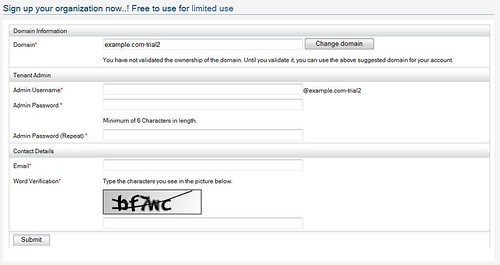
6. Fill account information. If you didn't validate your domain in step-3, you will notice that '-trial' being added to your domain name.


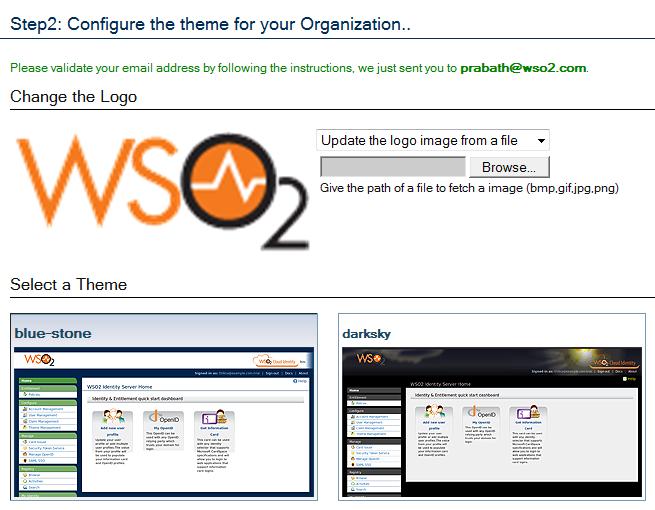
7. Select a theme for your organization.


8. Now you will get an email under the subject "WSO2 Cloud Identity - Registration confirmation" - click the link there to activate your account.

OpenIDs under your domain for your enterprise with WSO2 Cloud Identity

With WSO2 Cloud Identity - you can provide your employees OpenIDs fall under your own domain name to be used with widely popular OpenID relying parties.

1. Register your Organization - visit http://identity.cloud.wso2.com.

2. Say, the domain I registered is facilelogin.com and a user there is prabath.

3. By default - with ZERO configurations, all users are assigned with an OpenID which falls under identity.cloud.wso2.com.

Your OpenID will look like; https://identity.cloud.wso2.com/openid/prabath - under the format https://identity.cloud.wso2.com/openid/{user@domain}

4. Now, you want your users' OpenIDs to fall under your domain - to look like; https://identity.facilelogin.com/openid/{user@facilelogin.com}

5. To do that you need to go your domain controller and add CNAME, pointing to identity.cloud.wso2.com

To do that with GoDaddy domains - please refer this.

6. For Yahoo controlled domain here are the steps.

- First go to http://smallbusiness.yahoo.com/domains/ and login

- Sign In to Small Bisuiness

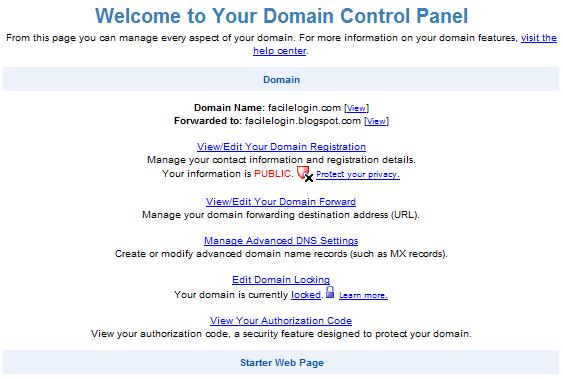
- Click on the "Domain Control Panel" link corresponding to your domain

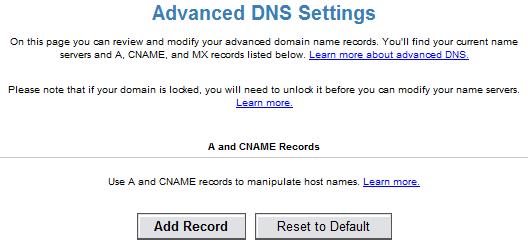
- Click on 'Manage Advance DNS settings'


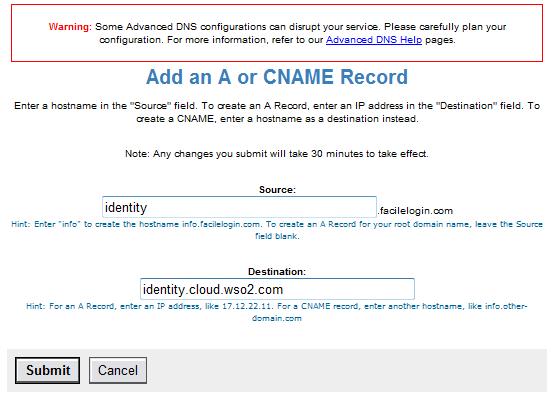
- Click on 'Add Record'


- Set source to 'identity' [or any sub domain name you want to have in your OpenID]

- Set destination to identity.cloud.wso2.com


That's it.. it will work now - allow some time for DNS propagation.

Identity patterns and anti-patterns in real world web services

[VIDEO] Identity & Cloud Services

A feature rich open source identity provider

WSO2 Identity Solution is an open source identity management solution with CardSpace and OpenID authentication.

Here I would like to list some of it's features.

Ability to issue managed information cards backed by user name/password and self issued information cards

A registered user can download a managed information card against his account and it can be used at trusted information card relying parties.

A user can totally eliminate the use of username/password by backing his managed information card with a self-issued card.

Supports SAML versions 2.0/1.1

Ability to revoke information cards

Provides the ability to revoke issued information cards and block those from being used to authenticate.

Support for the CardSpace default claim set

Claims are used by relying party web applications to express required user information.

The identity provider by default supports the standard set of claims as defined by CardSpace specifications.

These claims can be mapped to various attributes of users in the user store.

Support for custom claim dialects and claims

Provides the flexibility to define custom claims using the identity provider management console and map those claims to user attributes.

Ability to issue OpenIDs

A registered user will be assigned an OpenID and this OpenID can be used at any OpenID relying party web site.

Support for OpenID 2.0

OpenID 2.0 addresses many security vulnerabilities found in 1.1.

Identity Solution has inbuilt support for OpenID 2.0 with following specifications.

- OpenID Authentication 2.0
- OpenID Authentication 1.1
- OpenID Simple Registration Extension 1.1
- OpenID Attribute Exchange 1.0
- OpenID Provider Authentication Policy Extension 1.0, draft 1
- OpenID Information Cards 1.0 - Draft 01

Multi-factor authentication

Identity Solution's OpenID Provider enables multi-factor authentication for OpenID users to provide a stronger form of authentication.

Support for user white-listing & black-listing

Provides the ability to white/black list information cards and OpenID relying parties.

Ability to connect to custom user stores

Identity Solution can be easily customized to connect to a custom user repository [e.g.: Active Directory] to enable information card and OpenID authentication for users.

Built-in user store

Identity Solution ships with a built-in user store, so it can be used out-of the box to enable information card and OpenID authentication.

Statistics/reporting/audit trail

The Identity Provider management console provides a set of statistics/reports for administrators to monitor user accounts, information card/OpenID issuances and token issuances for login requests to relying party web applications.

Information card relying party support for Apache2

With Apache HTTPD module (mod_cspace) any server side scripting language
supported by Apache2 can enable information card relying party support.

Information card/OpenID relying party support with the Java servlet filter

Provides an easy integration point for J2EE based web applications.

Information card relying party support for leading content management frameworks

Identity Solution includes authentication modules for popular content management frameworks such as Drupal and MediaWiki.

Identity Governance Framework

This post summarizes the white paper 'Identity Governance Framework' by Oracle.

IGF initiative was first announced in November 2006 by Oracle and in November 2007 it was submitted to Liberty Alliance.

Identity Governance Framework (IGF) helps enterprises easily determine and control how identity related information, including Personally Identifiable Information (PII), access entitlements, attributes, etc. are used, stored (in multiple sources), and propagated between their systems.

It enables organizations to define enterprise level policies to securely and confidently share sensitive personal information between applications that need such data, without having to compromise on business agility or efficiency.

In other words IGF allows to define a set of business rules around usage of identity-related data.

For example user's SSN should only be used in an application that works on behalf of the user - where in all the other cases no application should have access to that specific piece of data.

Further,IGF focuses on following attributes:

- Decouple applications from deployment infrastructure
- Include identity-related data stored inside and outside classic enterprise directory
- Access to user attributes and entitlement data
- Policy-driven to support management and governance

In other words, IGF defines a set of declarative contracts between suppliers and consumers of identity-related information based on two standards - CARML and APPML.

The Identity Governance Framework (IGF) is designed to allow:

1. Application developers to build applications that access identity-related data from a wide range of sources
2. Administrators and deployers to define, enforce, and audit policies concerning the use of identity-related data.

IGF has four components:

1. Identity attribute service - a service that supports access to many different identity sources and enforces administrative policy
2. CARML: declarative syntax using which clients may specify their attribute requirements
3. AAPML: declarative syntax which enables providers of identity-related data to express policy on the usage of information,
4. Multi-language API (Java, .NET, Perl) for reading and writing identity-related attributes.

Client Attributes Requirements Markup Language (CARML) is a specification built by the developer during the development process (much like WSDL is to a web service).

In other words CARML is targeted towards the developers who develop applications which consume identity-related data.

This specification indicates the required and optional attributes, operations, and indexes the application will use when deployed.

Attribute Authority Policy Markup Language (AAPML) is a contract between an attribute authority and an attribute service.

AAPML is targeted towards the identity providers and defines the constraints under which identity data is released.

In other words, it specifies the rules and constraints to access attributes brokered by the service.

These rules are expressed using a form of XACML specifically focused on attributes, based on XACML 2.0.

For example, following rules/obligations will be considered by the identity provider to release identity-related data.

- Subject – characteristics of application, user, strength of authentication
- Resources – attribute names
- Actions – read or write
- Environment – Internet/Intranet/VPN/..
- Consent – availability of specific consent records
- Relationship between Subject and requested identity information
- Whether data can be cached or propagated further

The developer builds their application with minimal or no regard for how or where identity-related data comes from or is stored.

The application developer uses the CARML API to both declare the attribute data needed for the application and the operations needed to support the application.

The declaration is then used to either extract a CARML XML document (for manual configuration), or is automatically asserted when the application connects to the attribute service.

As far as the application developer is concerned, the attribute service manages how and where all identity-related data is processed.

The attribute authority works with attribute service administrator to decide under what conditions specific data may be released.

Together, they work together to define an AAPML document which specifies how and when the attribute services provide access to the authorities information and what operations are enabled.

Attribute service administrators take CARML requirements from applications and reconcile those requirements with available attribute data and existing policies.

They may be required to define mappings to handle differences between client applications and attribute sources.

For example, a client application might have an attribute SsnLast4Digits. While this doesn’t exist in any data store, they could create a mapping that simply allows matching against the last four digits of SSN in an appropriate attribute authority.

This allows for both schema conversion and enhancing usage of minimal information.

With IGF, enterprises will benefit in following ways:

- Rapid deployment of applications without change to identity infrastructures
- Meet legal, regulatory and enterprise policies on managing identity data